Personal Independence Payment (PIP) free application support: Claude Skill

We compressed 5 years of supporting exactly with PIP applications, examples for different conditions, Gov.UK and Citizens Advice Guidence, Pip Criteria and different frameworks, terms, worked on the flow, and tested on real successful PIP applications.
There’s a horrible accessibility paradox built into PIP:The people who may need it most can be the people least able to get through the application/appeal.I was really surprised to not find any publicly available PIP-related skills.I'm convinced that accessing disability support shouldn’t require supernatural executive function. As a patient advocate, I’ve spent a lot of time helping people do this manually. Helping retrieve the actual examples from their lives and explain them accurately in relation to what PIP actually assesses.I kept thinking: why are we making people do so much of this from scratch while we can automate so much with the current technology?So I built a PIP Assistant Skill for Claude to work facts → functional impact → evidence → PIP descriptor, rather than teaching someone what to say to maximise their points.Amongst other things, that’s what it helps to do:
Check the correct route first — establishes where you live and whether you are completing a new claim, review, change of circumstances, Mandatory Reconsideration or appeal.
Understand what PIP is actually assessing — explains the descriptors and key rules such as doing activities safely, to an acceptable standard, repeatedly and within a reasonable time.
Explain confusing questions — you can ask “What is this question really asking?” and it will explain what the activity covers, what it does not cover, and what information is relevant.
Work through the form one question at a time — rather than overwhelming you with a long questionnaire.
Search your HDA records before asking you — identifies information already documented across your health history and shows you what it found.
Suggest provisional answers from your real records — while clearly asking you to correct, confirm or add anything missing.
Ask targeted follow-up questions — especially where it cannot establish frequency, help needed, safety issues, consequences, examples or other important details from your records.
Turn vague difficulties into concrete examples — using the underlying structure of what happens, how, when, why, what help you need, what happens without it, a real example and supporting evidence.
Check fluctuating conditions properly — distinguishes good, typical and bad days and helps quantify how often difficulties actually occur.
Apply the PIP reliability rules — including whether something can technically be done but cannot be done safely, properly, repeatedly or quickly enough.
Distinguish diagnoses from functional impact — it never assumes that having ADHD, autism, depression, chronic pain or another diagnosis automatically means a particular PIP descriptor applies.
Identify relevant support needs even if you do not currently receive help — for example, where you manage alone because nobody is available to prompt, supervise or assist you.
Help prevent accidental understatement — explores phrases such as “I manage”, “I just use…”, “my partner helps a bit” or “I don’t really go out”.
Help prevent exaggeration too — flags claims such as “never” or “cannot at all” when other information suggests a more precise explanation is needed.
Suggest clearer wording without changing the facts — keeping the answer in your own voice rather than producing repetitive legalistic AI text.
Map your evidence to each PIP activity — distinguishing direct functional evidence from supporting medical context and weaker or irrelevant material.
Identify evidence gaps — tells you what it could not find and what additional information or evidence could genuinely help.
Avoid evidence dumping — helps select the most relevant evidence rather than simply sending every medical document you have.
Check for apparent contradictions — across the whole claim, including work, driving, parenting, travel, hobbies, exercise and everyday activities, then asks you to explain the context rather than assuming the contradiction disproves your claim.
Run a final Devil’s Advocate review — challenges the claim from an assessor’s perspective to find weak explanations, gaps and inconsistencies before submission.
Produce a final audit — including copy-ready answers, likely descriptor relevance, evidence mapping, remaining vulnerabilities and a submission checklist.And if you connect Health Data Avatar through Claude’s MCP connector, it can also search your own health history for potentially relevant supporting information, records, letters, medication history, journals and other documents, rather than expecting you to remember everything yourself. When applicable, it suggests provisional answers from your real records, while clearly asking you to correct, confirm or add anything missing.HDA is optional: the Skill works without it and both are free. The PIP Assistant is publicly available on GitHub: https://github.com/HealthDataAvatar/hda-skills/tree/main/pip-assistantIn case it's relevant, please use it/share with someone who needs it.And if you work in disability advocacy, welfare rights, benefits advice, healthcare or accessibility: please test it, tell us what we’ve missed and contribute.P.S. Obviously, the skill doesn't decide whether someone qualifies for PIP or guarantee an award. It is designed to make it easier to describe your genuine circumstances accurately against the existing criteria. Please, don’t forget to check the result thoroughly,Here are the instructions to set everything up (skill + connector) to guide you through PIP.Install the PIP Assistant in Claude
1. Download the Skill
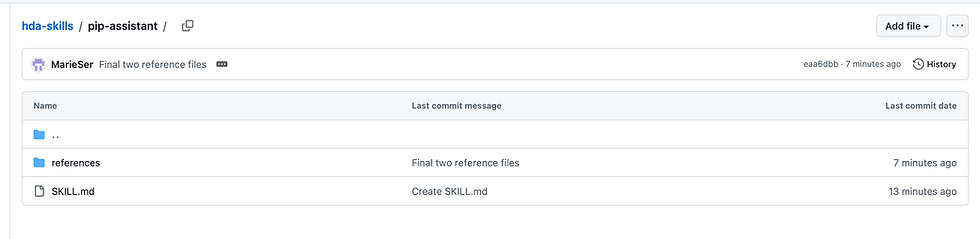
Download the PIP Assistant Skill from:https://github.com/HealthDataAvatar/hda-skills/tree/main/pip-assistant
Download the Skill as a ZIP file. Keep it zipped — Claude expects a ZIP containing the Skill folder.
2. Install it in Claude
In Claude:Make sure Code execution and file creation is enabled under Settings → Capabilities.Go to Customize → Skills.Click + → Create skill → Upload a skill.Upload the PIP Assistant ZIP.Make sure the Skill is switched on.If you use Claude through a Team or Enterprise account, your organisation may need to allow Skills and user-created Skills first.
3. Connect Health Data Avatar
For the best results, connect your Health Data Avatar (HDA) so the PIP Assistant can work through your uploaded health history and look for relevant supporting evidence.
In Claude, click the “+” icon, then go to:Connectors → Add Connector → Browse ConnectorsSearch for “Health Data Avatar” or simply “HDA”, then connect your account.Alternatively, open :https://claude.ai/directory/ebacb52d-dedb-424a-981c-3f6a14495676 and click Connect to Claude.
Ideally, add as much relevant health and day-to-day information as you can to HDA before you begin: medical records, clinician letters, tests, imaging, medication history, health journals and other documents that may show how your health affects everyday life.Don't worry if you forget to connect HDA first: the PIP Assistant will remind you about it when you start.Once both are connected, start a new Claude conversation and simply say: “Help me complete my PIP form” or tag the skill. The Skill will guide you through the process one question at a time.


Comments